> For the complete documentation index, see [llms.txt](https://spice.docs.medtroniclabs.org/llms.txt). Markdown versions of documentation pages are available by appending `.md` to page URLs; this page is available as [Markdown](https://spice.docs.medtroniclabs.org/spice-docs/deploy/customization-guide/multi-language-translation/support-for-multiple-languages.md).
# Support for multiple languages
**To change the culture value by adding string.xml:**
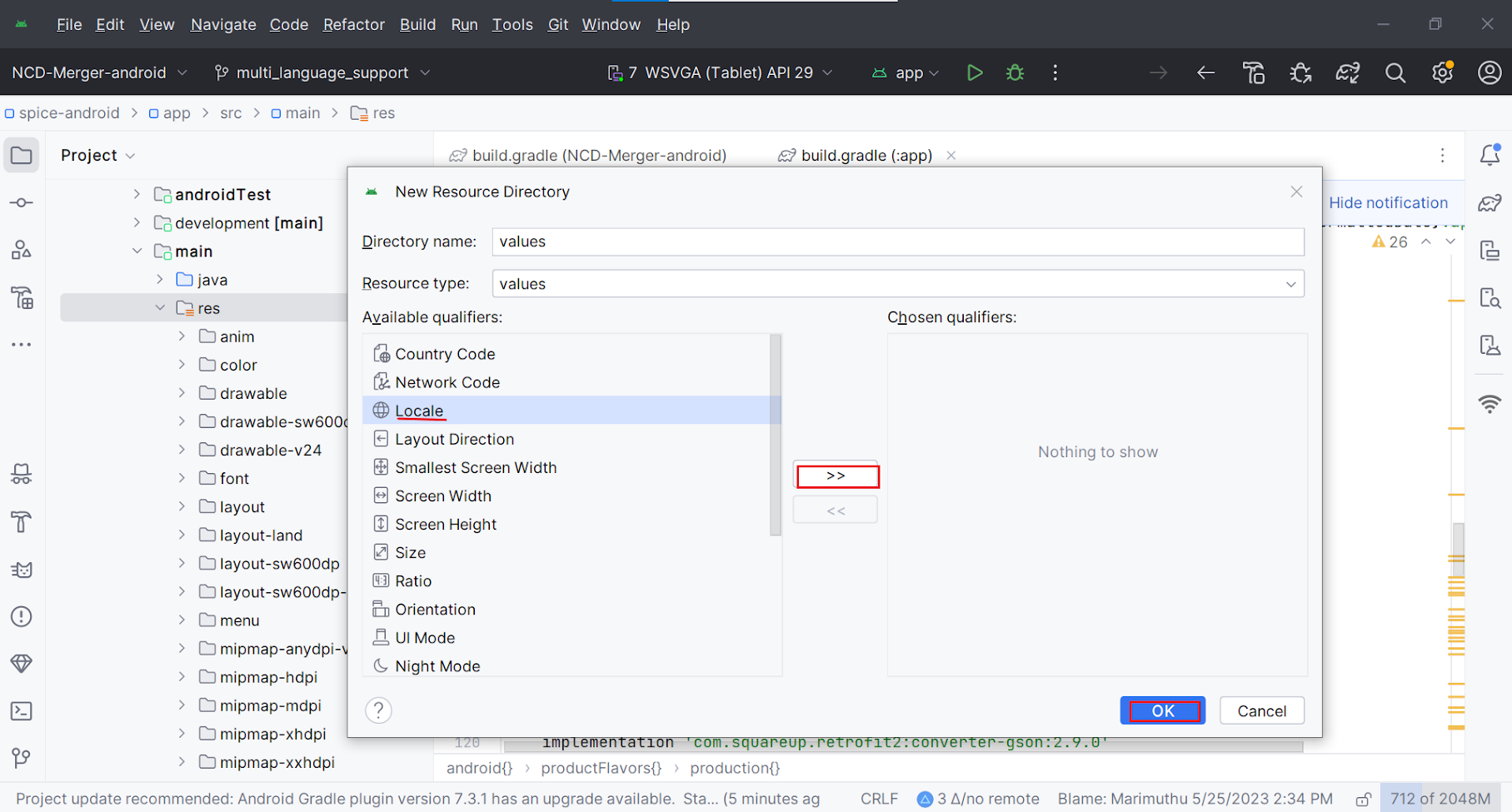
* Right-click on the "res" directory (app/res).
* Click on "New" -> "New Resource directory".
* Select "Locale" as the resource type.
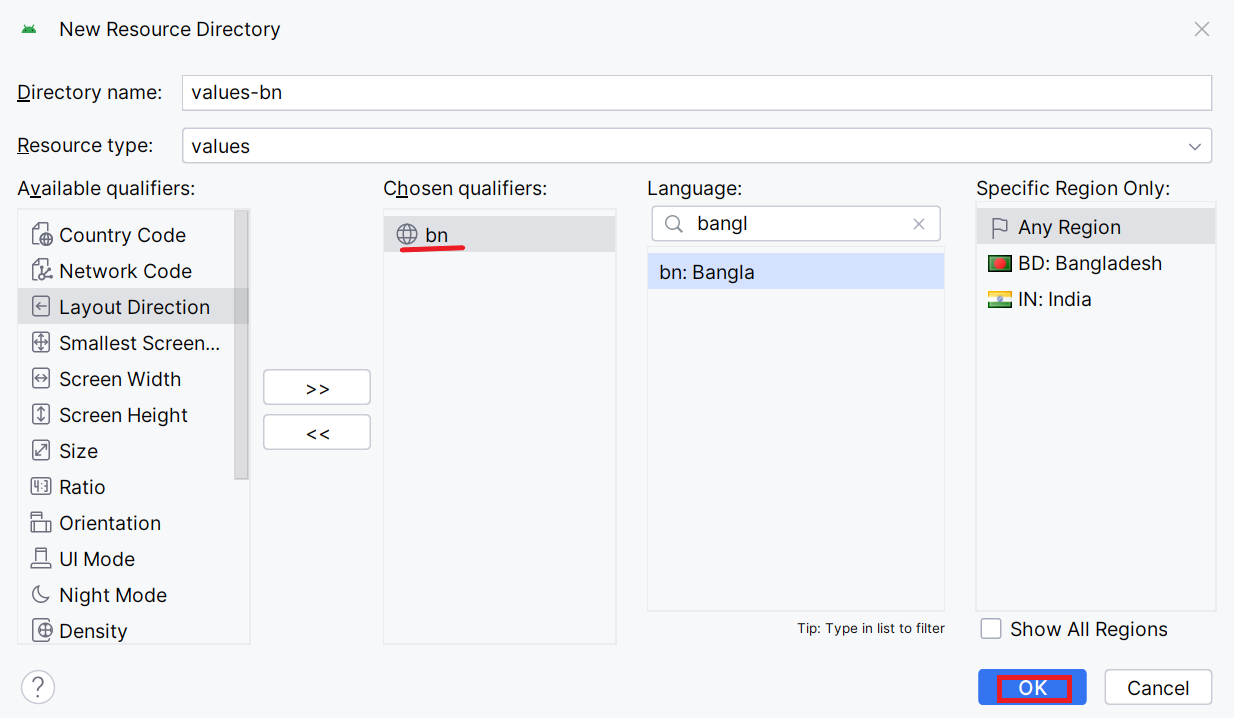
* Choose the desired language (e.g., Bangla) from the dropdown menu.
* Click "OK".
* "values-bn" will be created inside the res folder.
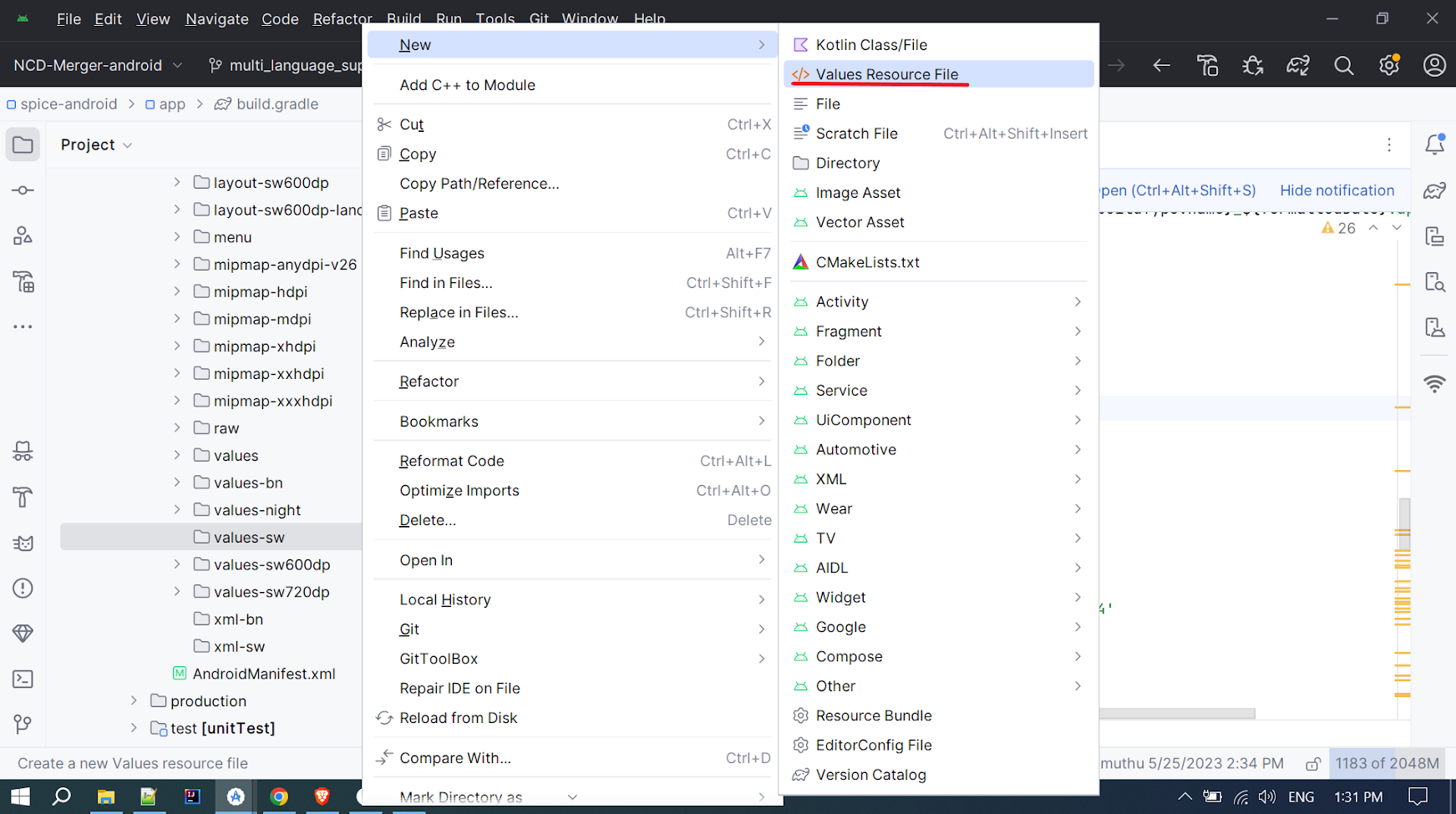
* After that, add strings.xml inside "values-bn"(eg. for Bangla language) file for the respective languages, otherwise, it will use English(default strings.xml) as the default language. add the strings inside the file.
**In Moblie Source Code**
Open the file CultureLocale.\
Add the country language code and language names from the backend table named culture\_table with the column name "name"
```
package com.medtroniclabs.opensource.formgeneration.formsupport.viewmodel
enum class CultureLocale (val value: String) {
EN("English"),
BN("Bengali"),
SW("Swahili")
}
```