> For the complete documentation index, see [llms.txt](https://spice.docs.medtroniclabs.org/llms.txt). Markdown versions of documentation pages are available by appending `.md` to page URLs; this page is available as [Markdown](https://spice.docs.medtroniclabs.org/overview/spice-app-features/enrollment.md).
# Assessment
## Feature Overview
The SPICE platform is designed to transform primary care delivery in resource-constrained settings. It empowers community health workers by equipping them with the necessary tools to conduct assessments for various health conditions, including non-communicable diseases (NCDs), malaria, maternal and child health, among others. The assessment process utilizes a risk algorithm to determine whether patients need further medical attention based on their diagnosed conditions. Assessment can occur online and offline, providing flexibility and accessibility for health screeners and community health workers.
## Community-Based Assessment Workflow
To use the Assessment feature, follow these steps:
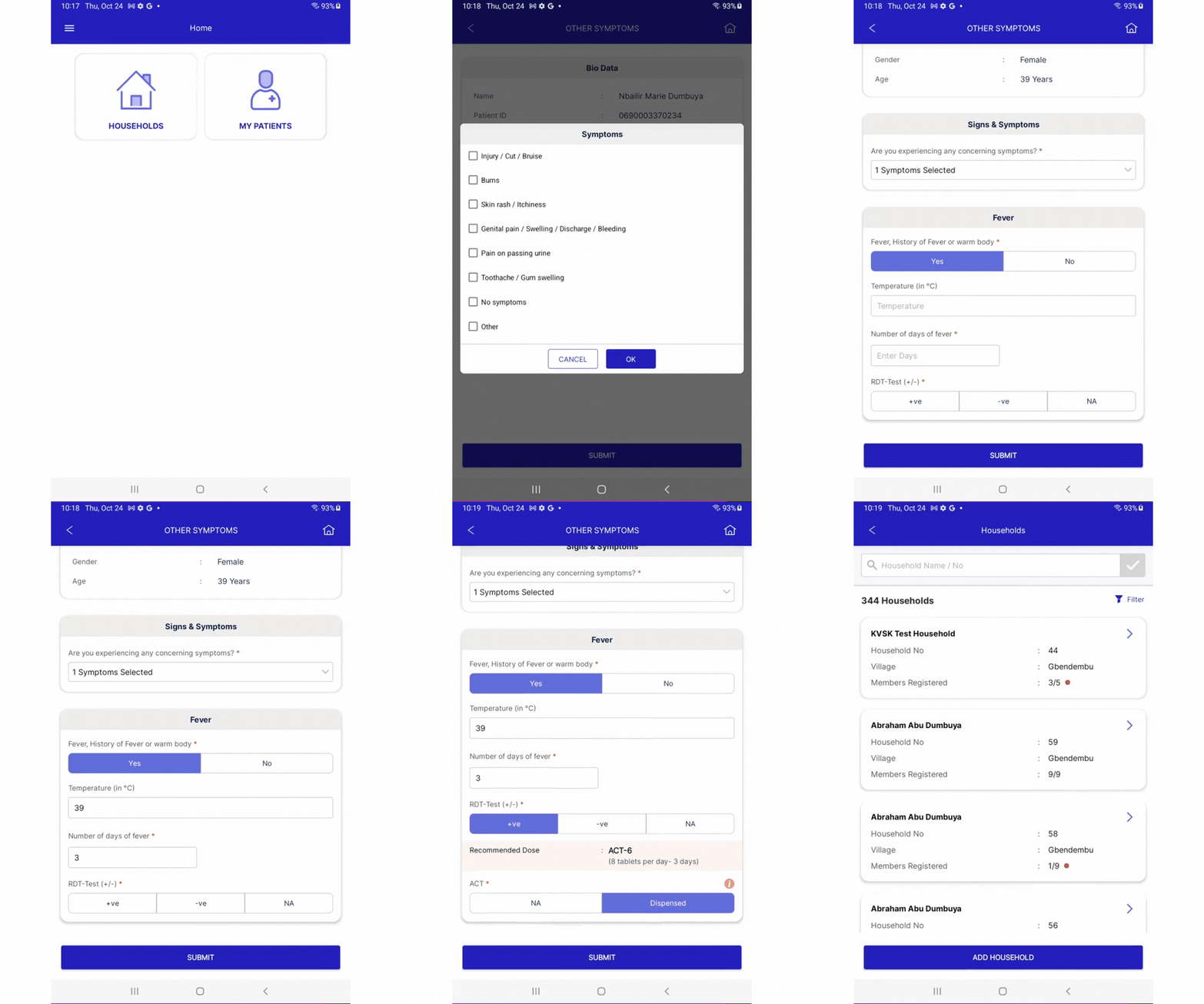
1. To assess a patient, navigate to the patient through "Households" or "My Patients", depending on how you want to look up the patient
1. To find a patient through "Households", click on "Households" and search by Household Name/No. or use the "Filter" feature to filter by Village
2. To find a patient through "My Patients", click on "My Patients" and search by Name/Patient ID or use the Follow-up lists to filter and search for the patient
2. Select the patient profile that you want to perform the assessment for
3. Click on the Assessment that you would like to perform (e.g., for a Female patient two workflows will appear: RMNCH and Other Symptoms).
4. Follow the steps to collect the data as prompted by the workflow
5. View the Assessment Summary
1. If the patient is "Referred for further assessment", select the appropriate facility for a referral